Material Receiving (GRN)
Where: Purchase → Material Receiving.
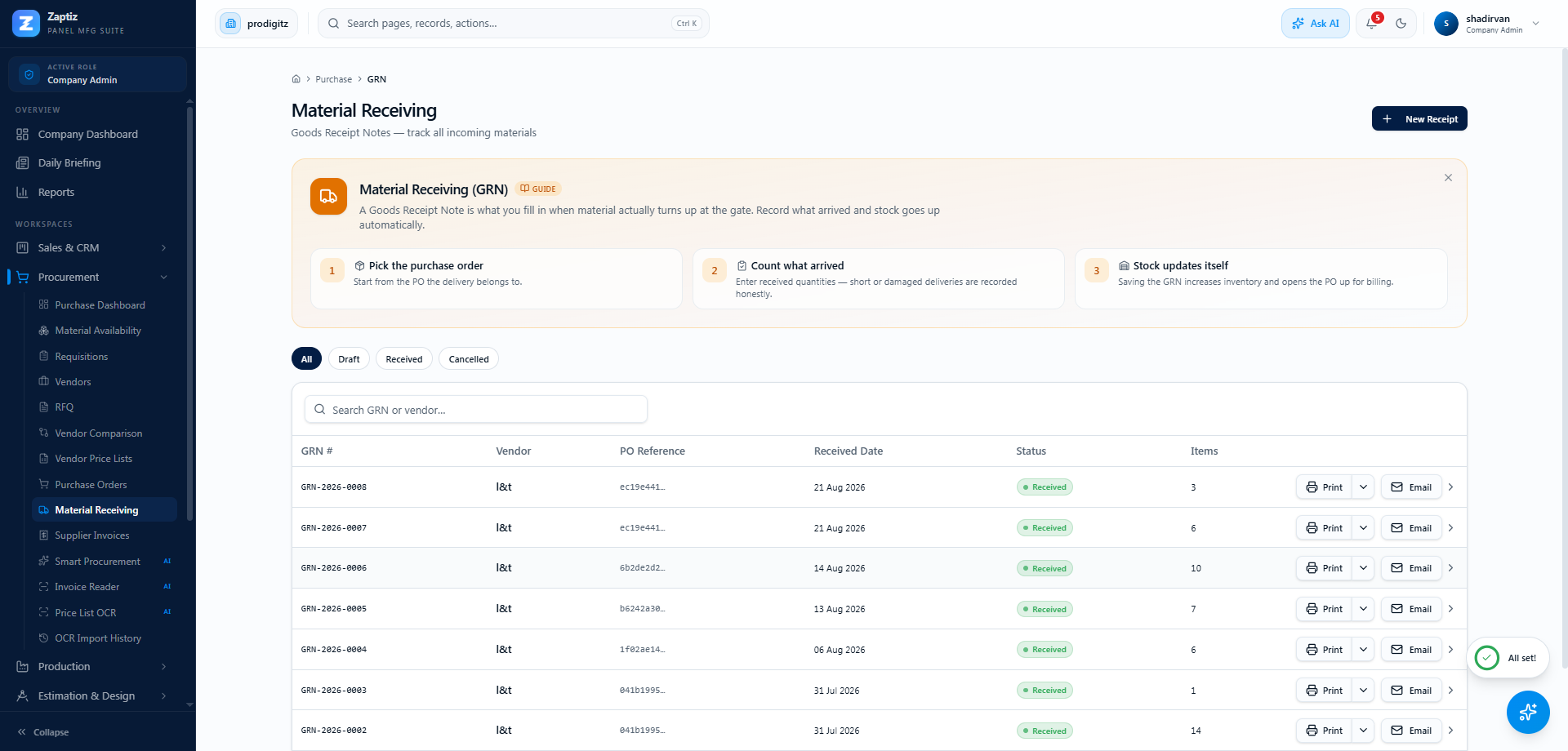
Every Goods Receipt Note in one register — create receipts against open POs, confirm them to move stock, print or email them.
Recording a receipt
- Click New Receipt.
- Pick the Purchase Order — only Approved / Ordered / Partial POs are offered.
- Pick the Warehouse (the default warehouse is preselected) and the Received Date.
- In the items table, enter the quantity Receiving Now per line. The form shows Ordered / Already Received / Pending, and entries are capped at the pending quantity.
- Add notes (condition, vehicle number…) and click Create GRN.
The GRN is created as Draft — nothing has moved yet.
Confirming — the moment stock moves
Open the draft GRN and click Confirm Receipt:
- A
PURCHASE_RECEIPTstock entry is written — on-hand increases, average cost is recalculated. - The PO's received quantities update and its status moves to Partial or Received.
- A confirmed GRN cannot be confirmed again — stock can never be double-counted.
Draft GRNs can be Cancelled instead if the receipt was recorded in error.
The AI shortcut
The Invoice Reader can read a supplier's invoice or delivery challan from a PDF/photo and produce the draft GRN for you — you still confirm it here. The AI never moves stock directly.
Tips
- GRN statuses: Draft → Received (confirmed) or Cancelled.
- Print/Email uses the
grndocument type with your templates; the missing-price guard checks for ₹0 unit costs first. - Once a GRN is confirmed, create the supplier invoice from that GRN (PO detail → Receipts → Create Invoice) to get the 3-way match.