Products & Catalog
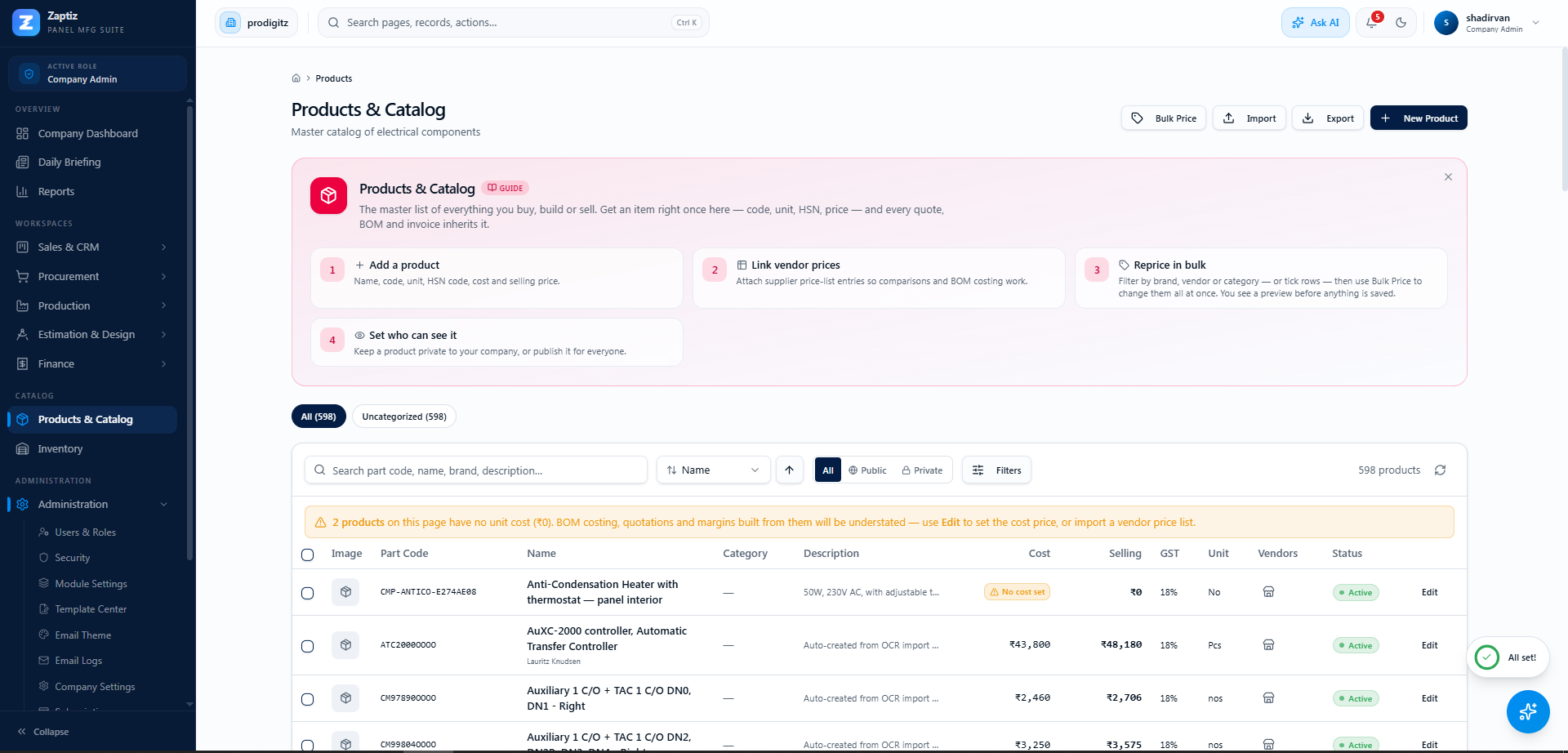
Where: Sidebar → Products (also under Company → Products & Catalog for admins).
The single item master that feeds BOMs, quotations, purchases, inventory and production.
Creating and editing products
Click New Product (or Edit on a row):
| Field | Notes |
|---|---|
| Part Number * | e.g. MCCB-100A-3P — the code used everywhere else. |
| Product Name *, Brand, Category, Supplier, Description | |
| Cost Price / Selling Price (₹) | Selling price is what quotations and AI matching use. |
| GST Rate | 0 / 5 / 12 / 18 / 28%. |
| HSN Code | Digits only, up to 8. Needed for GST returns — 4 digits if turnover ≤ ₹5 crore, 6 digits above. Missing HSNs show up as "UNCLASSIFIED" in the GST Agent. |
| Stock Unit | Pcs, Nos, Set, Meter, Box, Roll, Kg. |
| Min / Max Stock Level | Min level drives low-stock alerts and the Smart Procurement Agent. |
Finding products
- Search across name, part number, brand and description (server-side, whole catalog).
- Category chips, sort by any column, and advanced filters (status, brand, vendor, GST %, unit, price range) with removable filter chips.
- The Vendors store-icon on each row shows every vendor's price for that item (from imported price lists).
Import & export
- Import — a guided CSV import: download the template, fill one product per row (
part_numberandnamerequired; cost, selling price, GST, unit, description optional), upload, preview, and import with a progress bar. - Export — CSV or Print/PDF of the current page (50 products).
Public vs private products
Every product has a visibility:
- Public (the default) — visible to everyone in your company.
- Private — visible only to its owner and to Company Admins. For everyone else the product simply doesn't exist: it's absent from lists, search, the Photo Analyzer matcher and BOM matching.
Private products show an amber Private lock badge (admins also see the owner's name). The All / Public / Private toggle in the toolbar filters by visibility.
Where do private products come from?
Products created in this dialog are always public. The private flag is set during imports — e.g. when reviewing an OCR price-list import you choose whether the imported products are saved as Public or Private.
Tips
- Products can be marked Inactive rather than deleted — deletion is admin-only.
- If your company has connected Zoho Books, each row has a Zoho sync button.
- Fill in HSN codes early — it saves a pile of GST findings later.