AI Chat Assistant
Where: the sparkle button in the header — available on every page. It opens a slide-over chat panel.
Zaptiz AI answers questions about your data, explains how the app works, takes you to the right page, and can even draft records — with your confirmation.
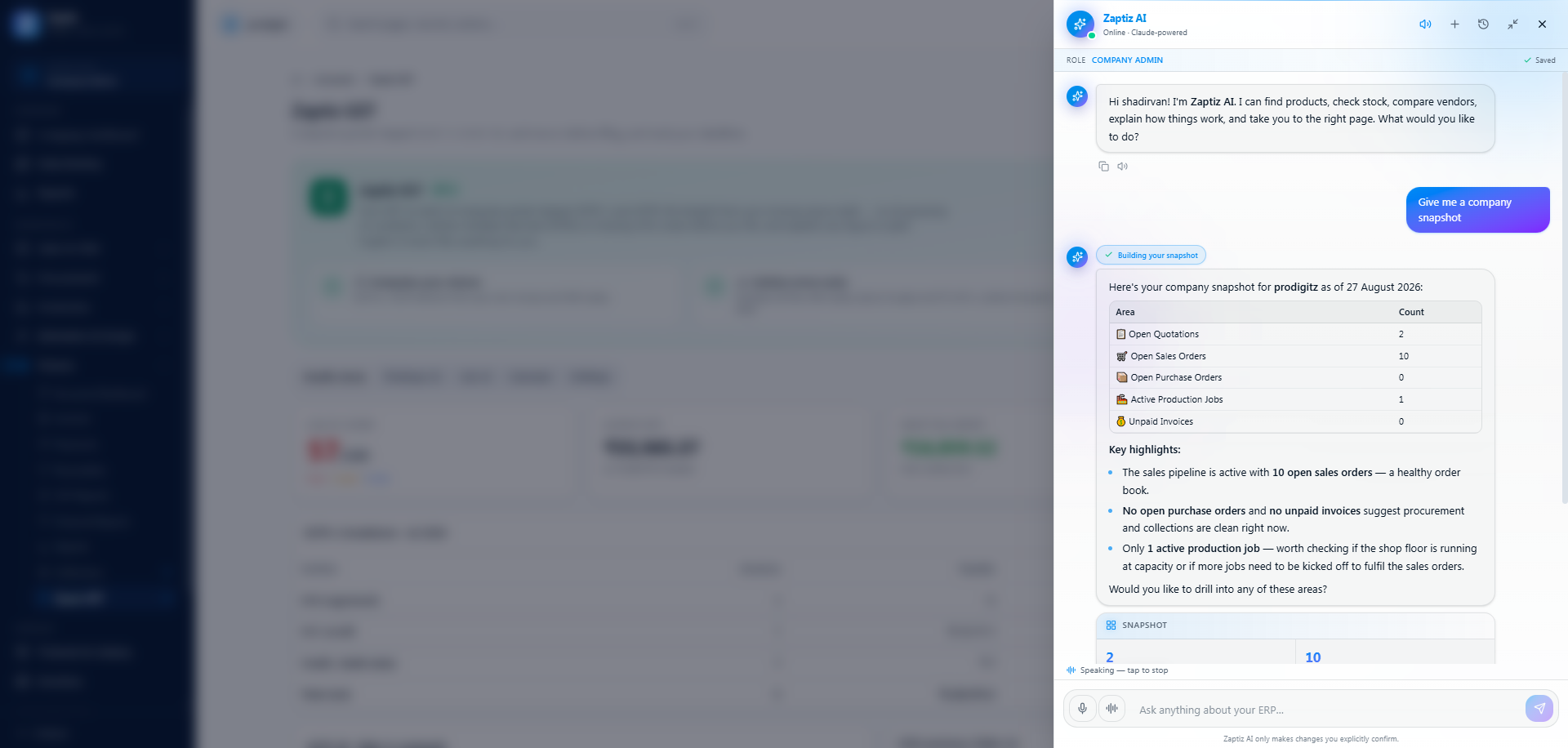
What it can do
- Find things — products and live stock, customers, vendors, quotations, sales orders, invoices, receivables, production jobs. Results appear as rich cards, not walls of text.
- Compare — "Compare Schneider vs L&T 125A MCCB" → a comparison card.
- Analyze — plain-English business questions become charts. See Ask Your Data.
- Explain — "How do I create a quotation?" answers come from the built-in knowledge base, with a Sources card.
- Navigate — "take me to low stock" gives you a deep-link button.
- Draft records — it can propose creating a customer, a quotation, or a full AI-drafted quote. Proposals appear as cards with a preview and Confirm / Cancel buttons — nothing is written until you click Confirm.
- Listen and speak — dictate your question, have answers read aloud, or hold a hands-free conversation. See Talking to it instead of typing.
Using it
- Click the sparkle button. The welcome panel shows role-aware "Try asking" chips (a Sales Exec sees quotation prompts, an Accountant sees receivables prompts…).
- Type your question — Enter sends, Shift+Enter adds a line.
- Watch the tool chips ("Searching…") tick green as it works; the answer streams in live. Use Stop to interrupt.
- Tap a follow-up chip to keep going, copy the answer, or rate it 👍/👎 (this genuinely feeds quality improvements).
- New chat (+) starts fresh; History (clock icon) reopens past conversations — they survive page refreshes.
Talking to it instead of typing
Two buttons sit to the left of the message box. They only appear if your browser and device can record audio.
| Button | What it does |
|---|---|
| 🎤 Mic | Press to talk, press again to stop. What you said is written into the box, ready to edit before you send. |
| 〰️ Hands-free | A full spoken conversation: you talk, it answers out loud, then the mic reopens by itself for your next question. |
Press-to-talk is dictation — useful on the shop floor or in a car, and you still get to read the text before it goes.
Hands-free is a loop. Just talk; a pause at the end of your sentence is the send button. The reply is read aloud, and only once it has finished speaking does the mic reopen — so it never transcribes its own voice. Tap the hands-free button again to stop.
A live level meter shows while it's listening, so a dead or muted microphone is obvious before you finish your sentence. You can also press Read aloud (the speaker icon under any answer) to hear a single reply without switching anything on.
The recogniser is primed with this industry's vocabulary — MCCB, ACB, RCCB, busbar, APFC, Schneider, L&T, GRN, HSN — so "one twenty five amp MCCB" comes back correctly instead of as "MCB". If a term you use keeps coming out wrong, tell us and we'll add it.
Permissions: your browser asks once for microphone access. If you blocked it by accident, allow it again in your browser's site settings for ZAPTIZ — the panel tells you so rather than failing silently.
Cost: speech is charged by the length of audio in and the length of speech out, on top of the chat turn itself, from the same AI credits. A short spoken question and a spoken answer cost a fraction of the chat turn between them, but a hands-free conversation left running is not free. Muting spoken replies also ends hands-free.
Action proposals — how the safety works
When the assistant offers to create something:
- The backend authors the payload — real customer/product IDs and prices are resolved server-side; the model can't invent them.
- The proposal card shows exactly what will be created. Confirm re-checks your real role permissions, then creates the record through the normal service (correct numbering, totals, notifications) and shows "Created · QT-2026-0001 · Open →".
- Proposals expire after 30 minutes and can never be double-applied.
- Only draft-level creates are enabled — no status changes, no sends, no deletes. As the composer footer says: "Zaptiz AI only makes changes you explicitly confirm."
Costs & limits
Chat is metered under your AI credits — a short answer costs little; a multi-tool analytical turn costs more (each tool call adds a small fee). Rate limit: about 20 requests/minute per user.
Tips
- Be specific. "Top 5 customers by revenue last quarter" gets a chart; "how are we doing" gets prose.
- Reopen History instead of re-asking — re-rendering a stored answer is free.
- If it proposes a quotation, check the line prices in the preview before confirming — unmatched components can carry ₹0.